

Whatsapp icon

MacBook Pro with M5 Chip in Kenya: Buyer Guide

Choose a MacBook Pro with M5 chip, M4 chip or MacBook Neo in Kenya by workload, memory, storage and portability.


Umoja Marketplace logo
Admin

Published on 30 Sep, 2026


MacBook Pro with M5 Chip Kenya: Buyer Guide | Umoja

Apple says its M5 MacBook Air update expands AI capabilities and starts at 512GB storage, making configuration more important than a simple chip-name comparison.

That trend is worth using as a prompt to shop more carefully, not simply to upgrade quickly. Apple's MacBook Air with M5 announcement is useful context; the live Umoja listings below are the reference for local configuration and availability.
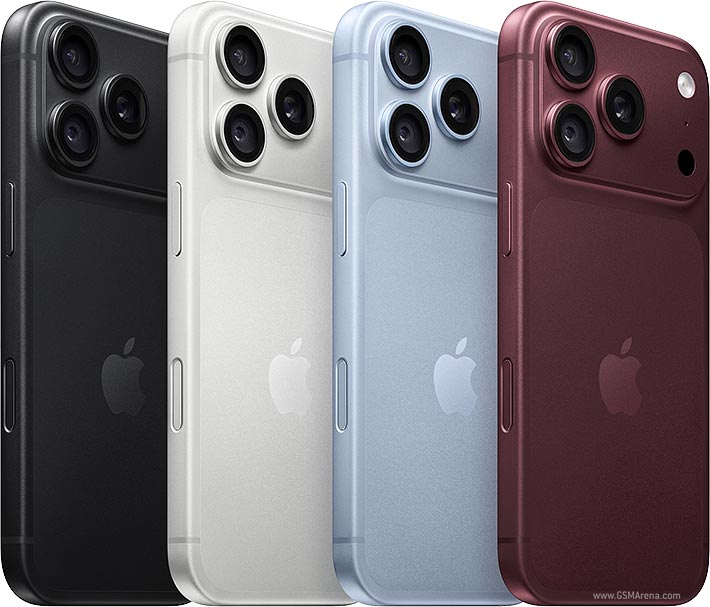
A MacBook purchase starts with the applications you need

The MacBook Pro with M5 is worth considering for buyers who need a portable Mac with sustained performance, but the chip name does not settle the purchase. Begin with your work: office applications, development, design, audio, photography or video. Verify that the required software and any specialist peripherals support the operating system and hardware you intend to use. A fast laptop is not good value if a central application in your workflow cannot run in the way you need.

Apple introduced the 14-inch MacBook Pro with M5 in its official announcement. That provides manufacturer context, while Umoja's live listing identifies the configuration offered locally. Keep those roles distinct: an international announcement does not establish Kenyan stock, price or the memory in a particular retailer's unit. Confirm the complete specification before comparing it with another MacBook.

M5 is not the same as every M5-family configuration

Apple's chip-family names and suffixes matter. A standard M5 configuration should not be assumed to have the same resources or capabilities as a differently named chip in the broader family. Compare the exact CPU, graphics and memory configuration listed for the machine. If you read a performance review, check that it tested the same hardware rather than a more expensive version with a similar name.

For most buyers, a representative task is more useful than a headline percentage. Open the kind of project you work on, consider its size and identify the current bottleneck. If your old laptop is limited by memory or storage, a processor upgrade alone may not be the entire solution. If it struggles during sustained exports or builds, examine cooling and the overall configuration. The purchase should remove a known limitation, not merely replace a familiar chip label with a newer one.

Unified memory is a purchase-time decision

Memory serves the applications and workloads you keep active. Large editing timelines, development environments, image files and browser sessions can use substantial resources. Decide how much headroom you want across the period you expect to keep the machine. Avoid sizing the purchase from a nearly empty demonstration computer. Think about the complete workday, including the applications running together rather than one app opened in isolation.

Apple-silicon MacBooks do not offer a simple user RAM upgrade later. Choosing an appropriate memory configuration at purchase is therefore important. Do not treat SSD swapping or external storage as an equivalent upgrade; those address different resources. If your budget requires a trade-off, compare a previous-generation model with more suitable memory against a newer one with less. The newer chip may not compensate for a configuration that is too constrained for your workload.

Storage, projects and backups

Compare internal storage with your working files, applications and anticipated project growth. Video media, virtual environments and photo libraries can occupy much more space than ordinary documents. An external SSD can support some workflows, but it adds a device, cable and backup requirement. Decide which files need to remain internal and which can live elsewhere. Do not buy a small capacity on the assumption that cloud storage solves every offline or performance need.

Keep backup separate from capacity planning. A larger drive still provides only one copy of the files on it. Plan how project files, account information and essential documents will be protected if the laptop is lost or damaged. Test that you can recover material instead of only enabling a backup setting. A dependable work setup includes both room to work and a way to restore the work when something goes wrong.

AI features need workload-level checking

An AI-capable chip can support particular tasks, but the term covers many different activities. Some tools run on the device, some use online services and some combine both. Identify the application and feature you need, then check its hardware, software and service requirements. A general AI headline does not guarantee that every model you download or every creative feature runs locally on the configuration you buy.

If you plan to run local models, memory capacity and the model's requirements are especially relevant. If your work mainly uses an online service through a browser, the service and connection may matter more than a specialised hardware headline. Avoid buying a laptop around a feature you have not tried. Establish whether it saves time in your own workflow and whether any subscription or language availability affects the benefit.

Display and external monitors

For design and editing, inspect the display and confirm its specifications for the exact machine. Resolution, brightness and colour capabilities are separate considerations. A capable screen does not replace a calibrated workflow when colour accuracy is central to your work. If you use an external monitor, check the supported resolutions and number of displays for that chip configuration rather than borrowing figures from another MacBook Pro model.

Think about your desk connections as well. A display, dock and cable must support the intended mode together. Some adapter combinations introduce limitations that are not obvious from the laptop's port count. For a permanent desk, test the arrangement you intend to use. For travel, decide whether a compact external setup is realistic or whether the built-in screen must handle most work. The right display plan depends on where you actually spend your working hours.

Ports, peripherals and charging

List your external equipment before purchase: storage, audio hardware, card readers, projectors and network adapters. Verify compatibility and driver support. A peripheral that worked with an older computer may need a different connection or current software. USB-C shape alone does not establish every data, video or power capability. Match each important item to the machine's supported ports and the accessory's requirements.

Confirm the supplied charger and cable, especially with a used or imported unit. If you intend to charge through a dock, check its available power while other devices are attached. A laptop may charge under light use but lose charge during a demanding workload when the supply is insufficient. Carrying a suitable adapter can be more practical than expecting every meeting-room USB-C connection to provide the required power.

Battery life and portability

Battery estimates reflect stated test conditions. Brightness, applications, external devices and network use can change endurance. Consider the actual task you will perform away from a socket: reading documents is different from exporting video or running a sustained build. Choose realistic headroom for that use and plan charging opportunities. Do not treat a maximum figure as a guarantee for a full day of every workload.

Portability includes the charger, accessories and protective bag. A Pro model may justify its weight through performance and screen features, but another laptop may be easier to carry if your work is lighter. Compare the whole bag rather than the machine alone. If the laptop will mostly remain on a desk, travel weight may be less important than memory, display and connection requirements. Let the routine determine the compromise.

Comparing M5 with older alternatives

A previous-generation MacBook can remain useful when its configuration meets your needs and the price difference is meaningful. Compare memory, storage, condition and supported software alongside the chip. Do not describe a lower-priced model as equivalent without checking those details. If a listing's capacity or model description seems inconsistent, ask for the exact hardware identifier and settings confirmation before ordering.

The existing Umoja links to M5, M4 and other Mac options provide candidates, not a claim that every one is the same kind of machine. Some devices serve different workloads and budgets. Compare a like-for-like configuration first, then decide whether a different form factor or specification is acceptable. The best value can be a configuration that fits your work well, even when it is not the newest release.

Check a representative project

Before treating a performance claim as decisive, compare a project similar to your own work. For video, consider the source format, timeline complexity and export settings. For development, consider the build tools, dependencies and environments you run together. For office work, check the documents and meetings you use throughout the day. Different tasks place different demands on the same laptop.

If you cannot test before purchase, consult the software provider's requirements and reviews of matching hardware. Keep the memory and storage configuration in view; a result from a differently equipped machine may not describe your offer. The objective is enough dependable performance for your work, not an abstract lead in a benchmark that measures something you rarely do.

Condition, ownership and support

For a used MacBook, check battery condition, keyboard, trackpad, display and ports. Confirm that it can be activated normally with your account and is free of unresolved previous-owner or organisational restrictions. A machine still managed by another organisation is not ready for ordinary independent ownership. The seller should demonstrate a clear setup process rather than promising to remove a lock after payment.

Ask who provides warranty support for the exact unit and how service is arranged locally. International coverage and retailer support are not identical promises. Keep the invoice, serial information and supplied accessories documented. Use the current Umoja product page for price and availability, then choose the configuration that supports your actual applications, storage and mobile work. That gives the M5 decision a practical foundation beyond the excitement surrounding a new chip.

Current Umoja options


Umoja Marketplace logo
Admin

Published on 30 Sep, 2026


Read next

Fast & Secure Delivery

Same-day available in Nairobi.

Genuine Products

Sourced from official distributors.

Easy Returns

On faulty, wrong or damaged items.

Pro Quality Support

Call & WhatsApp: Mon–Fri 8am–8pm, Sat 10am–2pm, Sun closed.