Whatsapp icon

Is the PS5 Slim 1TB Right for You in Kenya?

A straightforward PS5 Slim 1TB buying guide for Kenyan players: what to consider before buying, where it fits and how to plan your gaming setup.


Umoja Marketplace logo
Admin

Published on 30 Sep, 2026


Is the PS5 Slim 1TB Right for You in Kenya? | Umoja Marketplace

A console purchase works best when you think beyond the box. The game library, the display you already own, where the console will sit and how you expect to play with family or friends all shape whether it is the right purchase.

Explore Umoja’s Sony range and compare the current options below before ordering.
Decide whether you are buying a console or a complete setup

The PS5 Slim can be a sensible starting point for a living-room gaming setup, but the console is only one part of the purchase. You also need a suitable display, somewhere to position the hardware, a way to obtain games and enough connectivity for downloads and updates. Before comparing prices, decide which of those pieces you already own. A low console price is less useful if it leaves no budget for the games you intended to play.

Write down your likely first three games and whether you will play alone, locally with friends or online. That determines the value of a second controller, a headset and any subscription. Check each game's requirements instead of assuming every multiplayer mode works the same way. The PS5 name establishes the platform, but the experience depends on the particular games, your display and your home connection. Shopping around a real plan produces a more useful result than buying accessories because they look like part of a gaming bundle.

Disc and digital versions change how you buy games

Confirm the exact edition being supplied. A disc-capable console lets you use compatible physical games, while a digital arrangement relies on downloads. For Slim models with an optional or detachable drive, check the hardware compatibility and Sony's installation requirements before planning an upgrade. The availability of a separate drive does not mean every console generation accepts it. Use the model identifier and official instructions as the reference.

Your existing collection may settle the choice. If you own compatible discs or expect to borrow physical games, account for that value. If you prefer downloading and keeping your library in one account, a digital setup may suit you. Compare the overall cost of the games you actually want in each format. A cheap disc from a different region can also introduce questions about downloadable content and account compatibility, so check those details rather than looking only at the cover.

A 1TB label is not entirely available game space

Storage capacity includes space used by the console's system. Installed games, updates, captures and saved data compete for the remaining room. Game sizes vary widely, so do not treat the advertised capacity as a fixed number of games. Look up the current storage requirements for your shortlist and leave room for patches. A console that holds your preferred library comfortably is more convenient than one that requires deleting something every time a substantial update arrives.

If you plan to expand storage, follow Sony's requirements for compatible M.2 hardware and installation. External USB storage has different roles from internal expansion, and you should not assume that any external drive runs every PS5 game directly. Read the official guidance for the use you intend. Storage is also separate from backup: deleting a game installation and protecting saved progress are different tasks. Understand the save arrangements before clearing space.

Match the console to your television or monitor

A PS5 can work with a range of suitable HDMI displays, but the features available depend on the display and its inputs. Resolution, refresh rate, HDR and variable refresh support are separate specifications. A television advertised as 4K does not automatically support every gaming mode, and a high-refresh panel does not guarantee that every HDMI port accepts the required signal. Check the manual for the exact television or monitor.

Think about the games you play and the distance from the screen. A responsive game mode may matter more to a competitive player than a very large panel. Someone enjoying story games may prefer a comfortable viewing position and a strong picture. The game must also support the mode you want; not every title offers the same resolution or frame rate. Set expectations around the complete chain—game, console, cable and display—rather than a single specification.

Internet requirements extend beyond online multiplayer

Even a player who mostly enjoys single-player games may need connectivity for system updates, game patches, account functions and downloads. Physical discs do not remove every online task. Before buying, check your connection's reliability and whether your data plan can accommodate large downloads. A phone hotspot may work for occasional setup, but it should be assessed against your normal usage and data cost rather than treated as a universal home-network solution.

For online play, stable latency matters as well as headline download speed. If the console is close to a suitable Ethernet connection, a cable can remove some wireless variability. If you use Wi-Fi, test the signal where the console will actually sit. A connection that is fast beside the router can be weaker behind a television cabinet or across several walls. Solve placement and network issues before spending on accessories that cannot change them.

Accounts, subscriptions and purchases

Create and secure your own account using the current PlayStation process. Check the country and payment arrangements available to you before funding it or buying regional gift cards. Do not assume a code intended for one region redeems in another. Sony's services and options can change, so use the platform's current guidance at the time of setup. Keep account-recovery information somewhere secure and turn on the available account-protection options.

Avoid basing the purchase on access to an account controlled by someone else. A seller's downloaded library is not equivalent to games you own in your own account, and access can disappear. Subscriptions are another separate cost. Check whether a specific game or mode requires one and which benefits remain while the subscription is active. That distinction helps you budget for the year instead of only for the day you collect the console.

Controllers and accessories that earn their place

One controller can be enough if you mostly play alone. A second becomes useful for supported local multiplayer or as a spare while charging. Confirm which games offer local play before assuming that two controllers make any game a two-player experience. For a used controller, test sticks, triggers, buttons and charging. For a new bundle, check that the extra item is the promised model and condition rather than relying on a photograph of the package.

A headset is useful for voice chat and late-night gaming, but compatibility matters. Check the connection method supported by the console and headset; ordinary Bluetooth pairing should not be assumed to work like it does with a phone. A charging station, specialised stand or extra storage can be purchased later if a real need appears. Begin with the essentials, then add the accessory that resolves a limitation you have actually encountered.

Placement and power

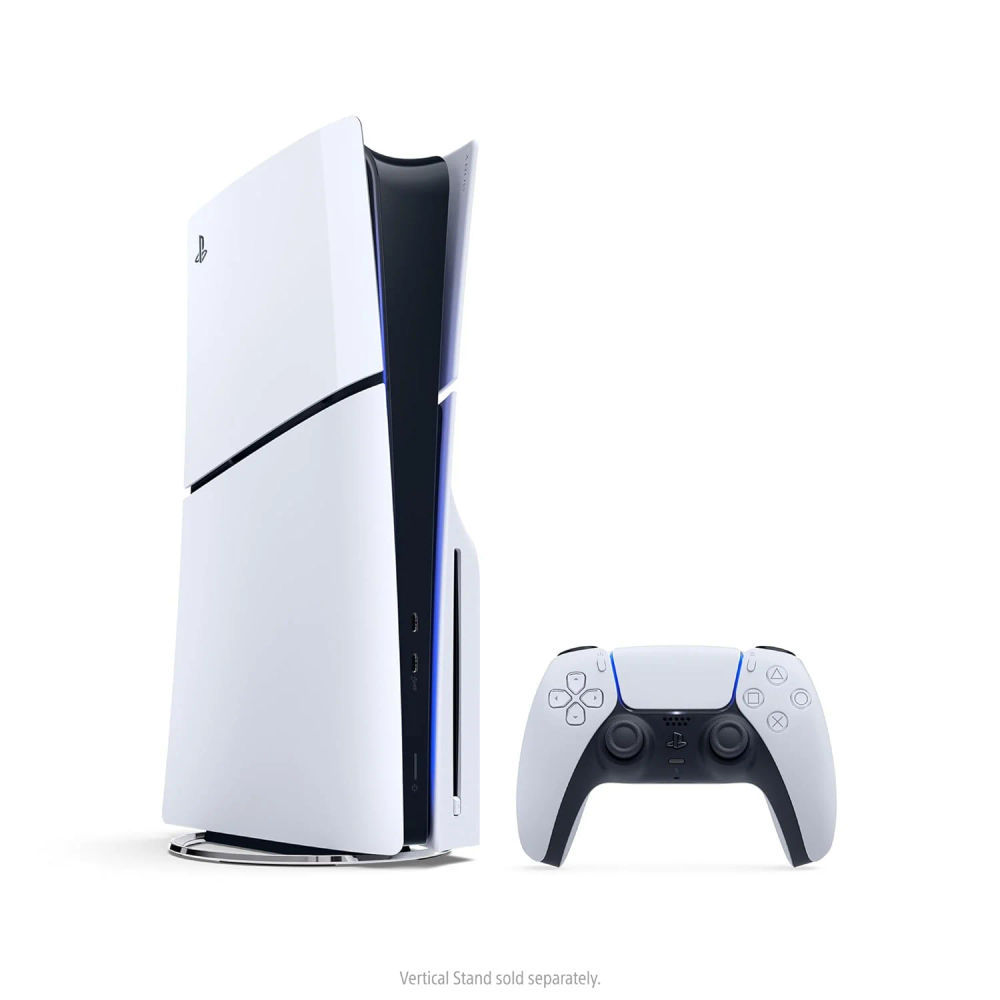
Give the console the ventilation and clearance Sony recommends. Do not squeeze it into a sealed cabinet or place objects over its air openings. Choose a stable surface and use the appropriate supports for the intended orientation. The Slim's physical arrangement and supplied feet should be checked against the model's instructions. If you prefer vertical positioning, establish whether the required stand is included in your purchase or needs to be obtained separately.

Make sure power cables and HDMI leads reach without tension. Use the console's normal shutdown process and consider an appropriate power arrangement if outages are a recurring issue at home. A backup supply must be sized for the whole setup, including the display, and should be chosen with the provider's guidance. Do not confuse a surge protector with backup power. They address different issues and should not be described as interchangeable accessories.

New, used and refurbished offers

Clarify the condition in writing. New, open-box, used and refurbished describe different situations; the price comparison should reflect them. With a used console, test normal operation, the controller, the relevant ports and any disc drive. Confirm that the device has been reset appropriately and can be set up with your account. Unexplained restrictions or a seller's insistence that you must keep using their account deserve resolution before payment.

Keep the invoice and exact console model details. Ask who provides warranty support, what is covered and how a problem is reported. A generic promise of a warranty is less useful than a clear process. Verify what the box contains and whether the cable, controller and supports match your expectations. On delivery, inspect promptly and follow the retailer's reporting process if something is missing or damaged.

Is it the right purchase for you?

The PS5 Slim fits someone who wants the PlayStation game library, understands the ongoing game costs and has a workable place to use it. It is less convincing as an impulse purchase when you have not decided which games interest you. Compare your actual library, display and budget before treating the 1TB label or a discounted bundle as the main reason to buy.

Use Umoja's live console listing for current price, edition and availability, then consult Sony's getting-started guidance for official setup instructions. If you already have a suitable television and connection, a straightforward console-and-games purchase may be enough. If you need everything, price the whole setup first. The right decision leaves you ready to play the games you chose without unexpected costs immediately after checkout.

Current Umoja options

Use these existing Umoja listings to check the exact configuration, current price and availability. A linked product is an option to compare, not a guarantee of stock for every variant.


Umoja Marketplace logo
Admin

Published on 30 Sep, 2026


Read next

Fast & Secure Delivery

Same-day available in Nairobi.

Genuine Products

Sourced from official distributors.

Easy Returns

On faulty, wrong or damaged items.

Pro Quality Support

Call & WhatsApp: Mon–Fri 8am–8pm, Sat 10am–2pm, Sun closed.